
Arguox Capture
Photos that show where
and when they were taken
Arguox Capture stamps the GPS location, street address, time, device details and your own notes onto each photo as you take it. You can then send the photo and its data to your own server or a Google Sheet.
Highlights
A map and your logo, right on the photo
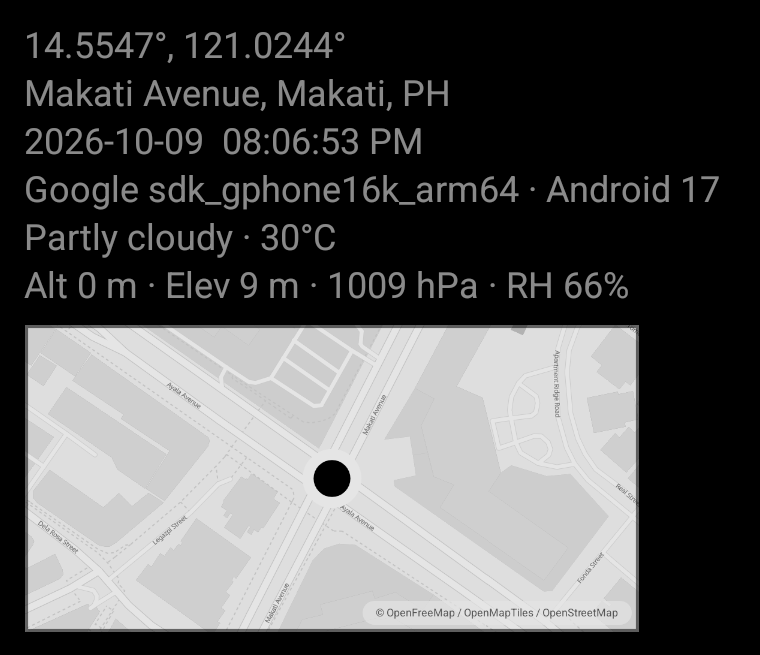
A map of the spot
Turn on Map in Settings and every photo gets a small map of where you took it, with a pin on the exact spot.
- Sits under the location, time and device lines
- Apple Maps on iPhone, OpenStreetMap data on Android
- Needs an internet connection when you take the photo
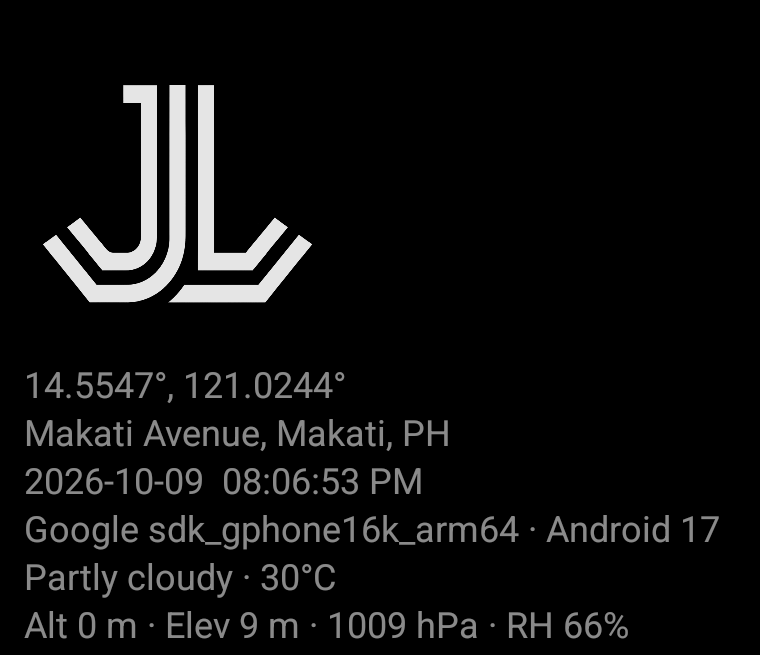
Your logo on every photo
Add your company logo once in Settings and Arguox prints it on every photo, in the same corner as the details.
- PNG logos, sized from 10 to 100 percent
- Uses the same opacity as the overlay text
- Sits on the outer edge of the block, so the details stay readable
01
Camera
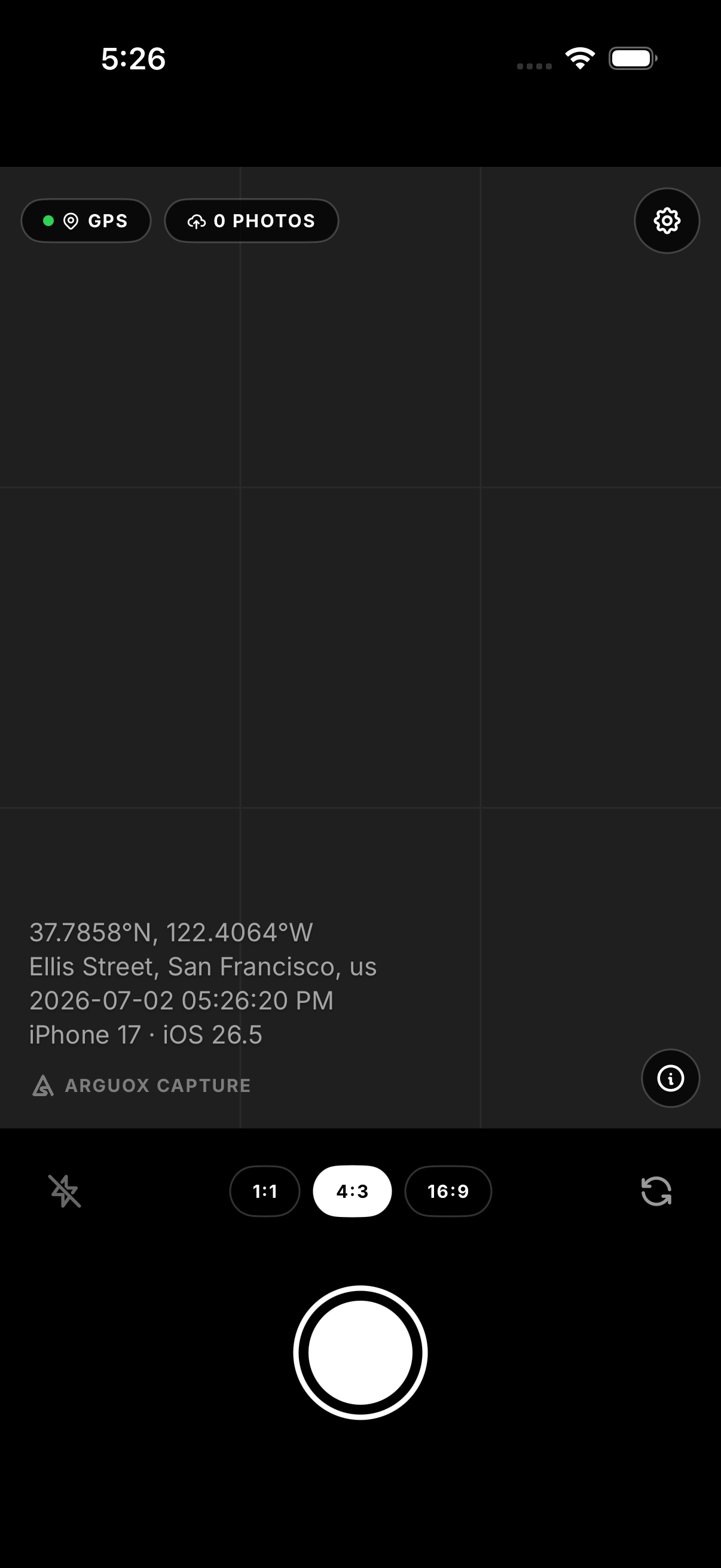
The details are part of the photo
When you press the shutter, Arguox collects the location, time and device details and draws them onto the image. There's nothing to edit afterwards and no separate file to keep track of.
- Your own text lines from Settings, like a job number, supervisor or site name
- GPS coordinates and the street address, looked up through OpenStreetMap Nominatim
- Phone brand, model and OS version
- A rule-of-thirds grid and tap-to-focus
- Optional map thumbnail, altitude, elevation, pressure, weather and humidity. Each has its own switch, and they all start off.
02
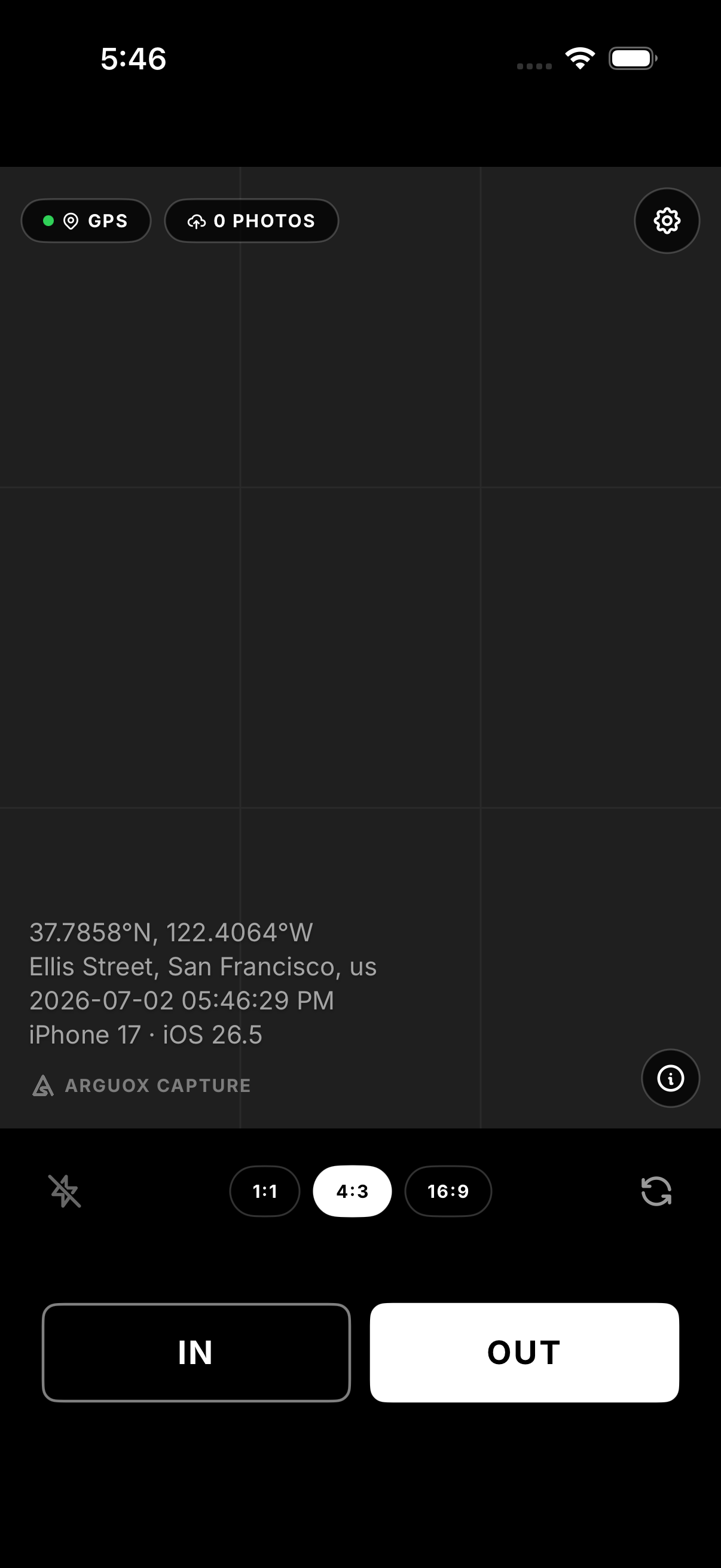
IN / OUT mode
One button for arriving, one for leaving
Set the button mode to Dual in Settings and the shutter becomes an IN button and an OUT button. Each one can post to its own endpoint, and every photo gets the full overlay.
- Tap IN when you arrive and OUT when you leave
- Each photo carries GPS, time, device info and your own text lines
- Good for staff check-ins, proof of delivery and shift logs
- IN and OUT uploads sit in the same queue, and you can retry each one separately
03
Logo and metadata
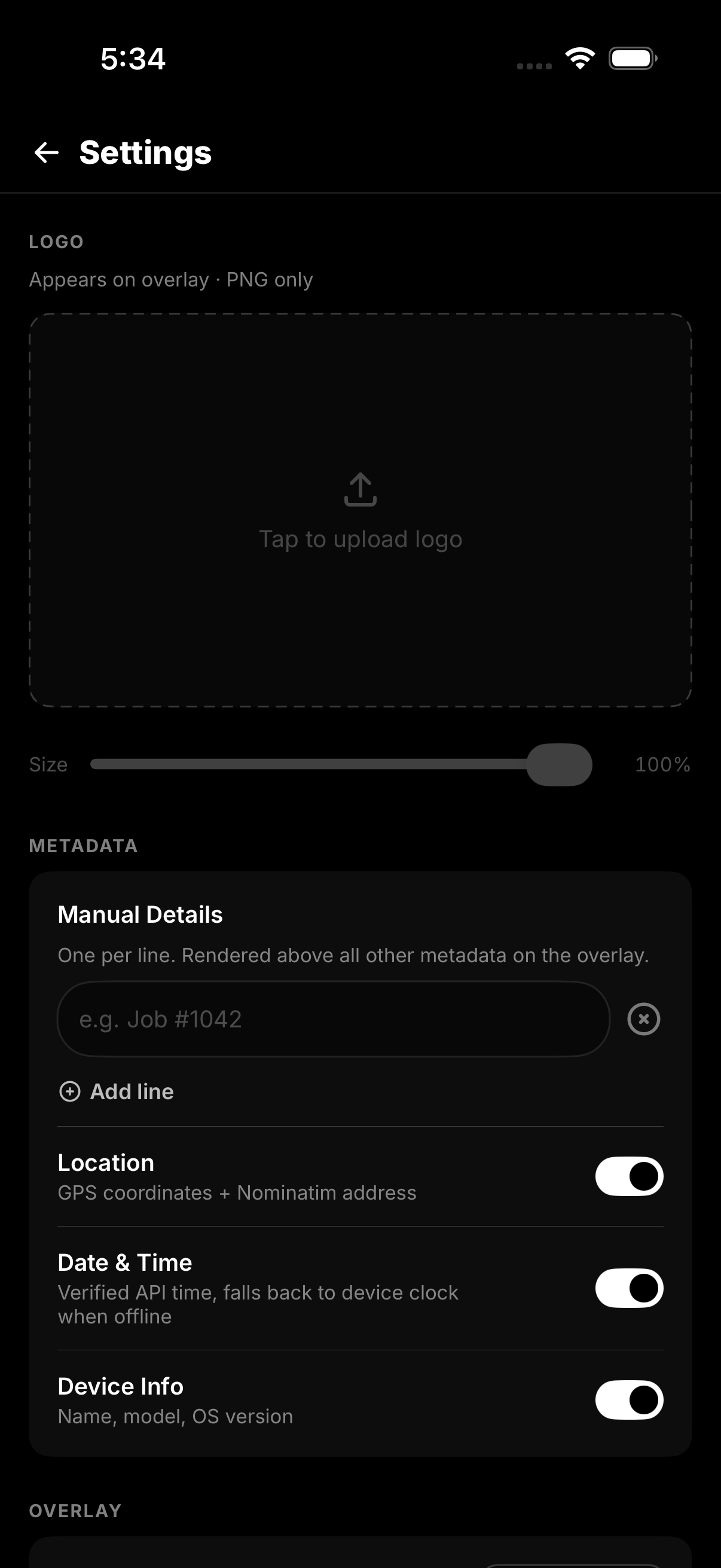
Put your logo on every photo
Add your company logo and choose which details show on the overlay. Your settings stay on the phone. There's no account, and nothing syncs to a cloud.
- PNG logos only, checked by reading the file header
- The logo sits in the same block as the text, at the end furthest from the edge of the photo
- Your own text lines, like "Job #1042" or "Supervisor: Juan", show above the other details
- Separate switches for Location, Date & Time and Device Info
- Font size and opacity sliders, with the opacity applied to the logo too
- An Environmental section with switches for the map, altitude, ground elevation, pressure, weather and humidity
04
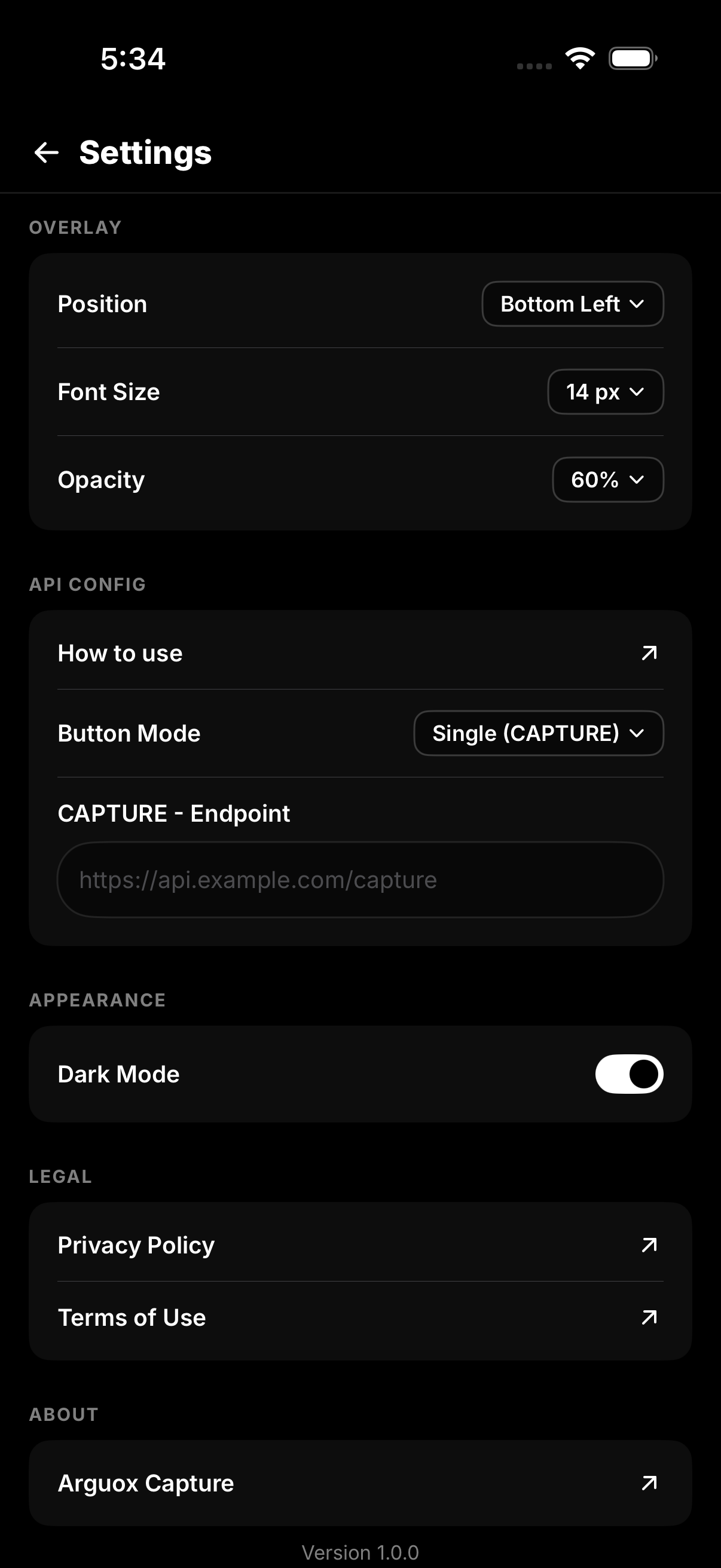
Overlay and API
Send each capture to your own endpoint
Captures can go to any HTTPS endpoint you choose: your own server, a webhook, or a free Google Apps Script. The Apps Script route needs no hosting.
- Put the overlay in any of the four corners
- Single mode (CAPTURE) or Dual mode (IN / OUT), with a separate endpoint for each button
- The JSON payload carries the action, timestamp, GPS, address, device info and the image as Base64
- With Google Apps Script, each photo goes to Drive and gets a row in Sheets, free and without a server
- Tap Upload on the preview to send a photo. If it fails, it retries when you're back online.
05
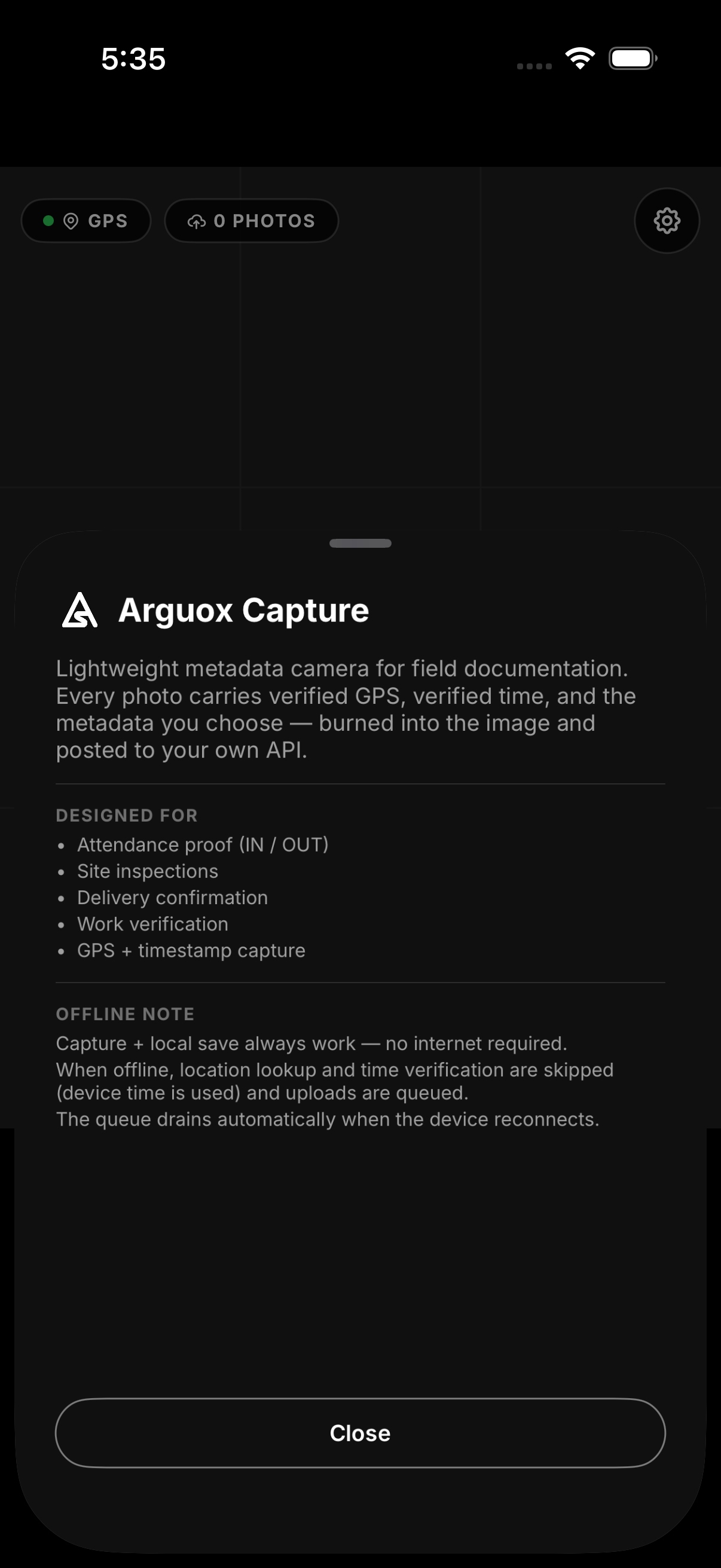
Stays on your phone
Your photos never pass through an Arguox server
Photos are taken, stamped and saved on the phone. If you upload while offline, the upload waits in a queue and goes out once you have a connection again.
- The camera, the overlay and the gallery save all run on the phone
- Offline, GPS and the address are left off. The time and your text lines still print.
- Queued uploads retry when you reconnect, or you can retry them yourself, one at a time or all at once
- The free version needs internet to load ads. With Remove Ads, the app works fully offline.
Use cases
What it's good for
Attendance
Staff tap IN at the start of a shift and OUT at the end. Each photo shows the time and where it was taken.
Site inspections
Photograph what you find, with the location and time printed on each shot.
Proof of delivery
A photo at the drop-off with the address and time on it, ready to send to your system.
Field notes
Field photos come out with the coordinates and your own notes already on them.
Work records
A photo of the finished job with GPS, time and device details printed on it.
Remote sites
With Remove Ads you can shoot without signal. Uploads wait in the queue until you're back in range.
Offline
What works without a connection
Online
Offline
Needs Remove AdsThe free version needs a connection to load ads. Buy Remove Ads to use the app offline.
Pricing
Free with ads, or pay once to remove them
Free
The whole app
Every capture feature, with no limits and no account. You see one full-screen ad after every 10 minutes of use, never when you open the app.
- GPS, address, time and device details on every photo
- IN / OUT mode for attendance and delivery logs
- Your logo, notes and overlay layout
- Map, altitude, pressure and weather overlays
- Uploads to your own API, with retries when they fail
- Needs an internet connection so ads can load
Remove Ads
Pay once
One in-app purchase. You keep everything in Free, and the ads and the internet requirement go away.
- No ads at all
- Works offline, and uploads wait until you have a connection
- One payment, nothing to renew
- Restore it on a new phone with the same store account
Google Play and the App Store set the price for your country and show it in the app before you buy.
Download Arguox Capture
On Android and iOS. Free to use, with a one-time purchase if you want the ads gone.